Visual mode · Mind maps
Mind maps mode: watch ideas branch and connect while you speak
Think out loud without pausing to drag boxes. Each claim, reason, example or open question joins the right branch on a force-directed canvas as you say it.
Five minutes of the live pen free every day. Works in Chrome, Edge and Safari; any browser can type.
Choose the right mapping engine
Tellavibe ships three distinct structural engines built on d3-force, rough.js and Mermaid:
| Engine | Behavior | Launch directly |
|---|---|---|
| Map | One focused mind map per topic; starts a clean map when the subject changes | Open Map |
| Brain | One continuous canvas that never turns the page across a long call or lecture | Open Brain |
| Diagram | Structured Mermaid flowcharts, timelines and sequence diagrams | Open Diagram |
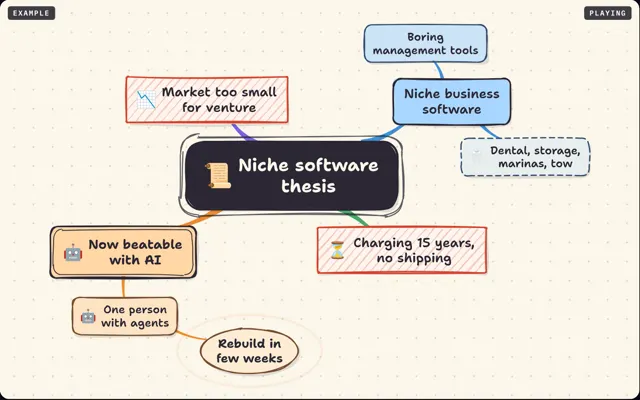 MapEach point you make becomes a node, joined to the idea it belongs to, as you say it.About a second a picture on the live pen
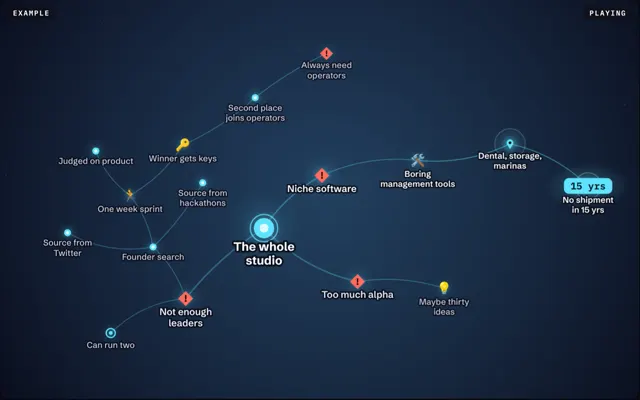 BrainEvery idea from a long conversation on one page.About a second a picture on the live pen
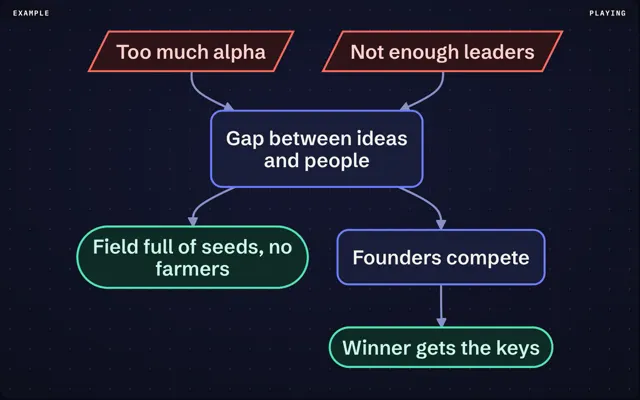 DiagramExplain how something works, what happens after what, or who talks to whom, and it is drawn as a flowchart, a timeline or a sequence diagram while you talk.About a second a picture on the live pen
How fast nodes appear
Map and Diagram run on Tellavibe’s fast small-vocabulary live model so branches appear right behind your voice.
Honest limits to know upfront
- No OPML/Xmind export yet: save a shareable playback link, video recording, voice file, transcript or subtitles.
- Single microphone input: for a group meeting, place the microphone close to speakers or share your screen on a video call.
Real spoken example
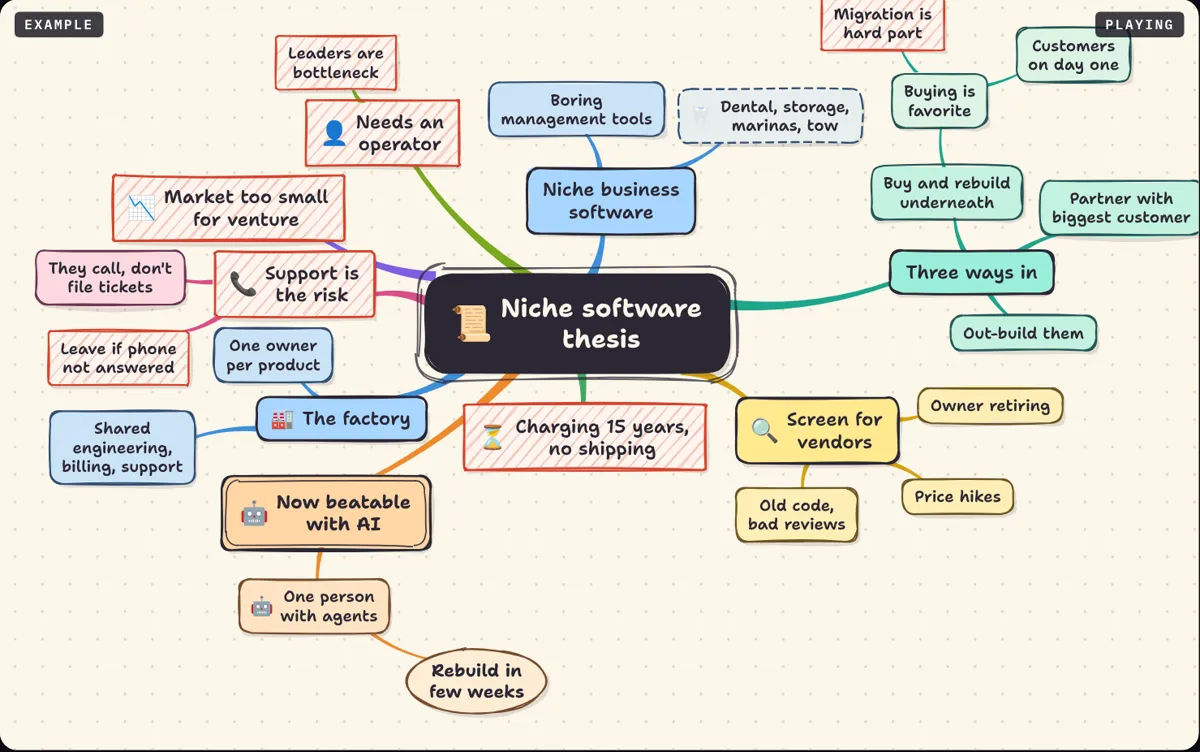
In the studio example for Map, the live pen drew directly from these spoken lines:
“The thesis is that niche business software, like the boring management tools every little industry runs on, is now beatable with AI.”
“Okay so the thesis is basically that niche business software, like the boring management tools every little industry runs on, is now beatable with AI.”
Questions
Does Mind Maps Mode build the map live or after I stop recording?
Live. Every few words are turned into nodes and edges within roughly a second or two while you are still talking.
When should I use Brain instead of Map?
Use Map for a focused brainstorm, essay outline or single decision. Use Brain for a 30–60 minute meeting, class or long monologue where everything should stay on one continuous map.
Can I type notes instead of using a microphone?
Yes. Typing lines into the studio box updates the exact same mind map in any browser.
Read next
- A mind map that grows while you talkMake a mind map by talking: each idea joins the one it belongs to as you say it, live, in your browser. For brainstorming, planning and long calls. Free to try.
- A thought visualizer that draws what you think, while you say itA thought visualizer that draws what you think while you say it out loud: sketches, mind maps and animated scenes, a second behind your voice. Free.
- How to visualize your thoughtsFive practical ways to see what you are thinking: talk it out, mind maps, concept maps, sketchnotes, and a picture that draws itself as you speak.