Guide
How to visualize your thoughts
Thoughts are easier to work with when you can see them. Here are five ways to get them out of your head and onto a page, from a pen and paper to a picture that draws itself while you talk.
Five minutes of the live pen free every day. Works in Chrome, Edge and Safari; any browser can type.
Why seeing a thought helps
A thought you are holding in your head competes for room with everything else you are holding. Put it on a page and it stays still: you can look at it, move it, see what is missing and what joins up. Each method below does that a different way.
1. Say it out loud
Talking a problem through, to a friend, to yourself or to a recorder, forces a vague idea into sentences. It is the quickest way to find out what you actually think.
Try this: talk for five minutes without stopping, then write down the three things you said that surprised you.
2. Draw a mind map
Put the main idea in the middle of the page. Draw a branch for each idea it leads to, and branch again from those. Use one or two words a branch. The technique was popularised by Tony Buzan in his BBC series and book Use Your Head (1974).
Good for: brainstorming, planning a project, revising for an exam.
3. Draw a concept map
Like a mind map, but there is no single centre, and every line says how the two ideas relate: causes, is part of, depends on. Concept mapping is associated with the educator Joseph D. Novak.
Good for: understanding how the parts of something affect each other.
4. Sketchnote it
Notes made of words and simple drawings: boxes, arrows, a few icons, a face or two. You do not need to draw well; the point is that the layout shows what goes with what.
Good for: lectures, talks and meetings, when you want notes you will actually look at again.
5. Let it draw while you talk
Tellavibe listens and draws what you say about a second later. Think out loud and the page fills on its own: a hand-drawn sketch, a mind map that grows, or one map for a whole conversation.
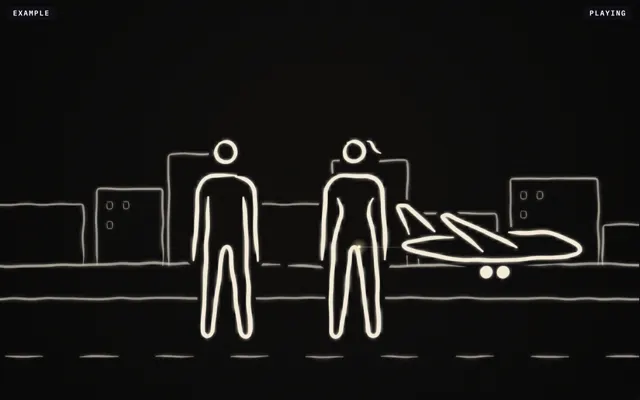 ThoughtA black pen line on white paper that keeps breathing after it is drawn.About a second a picture on the live pen
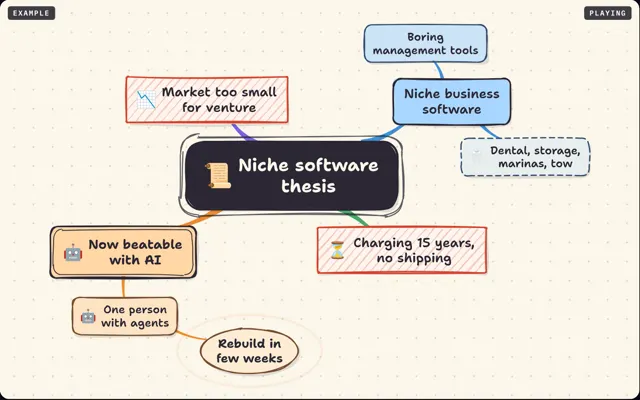 MapEach point you make becomes a node, joined to the idea it belongs to, as you say it.About a second a picture on the live pen
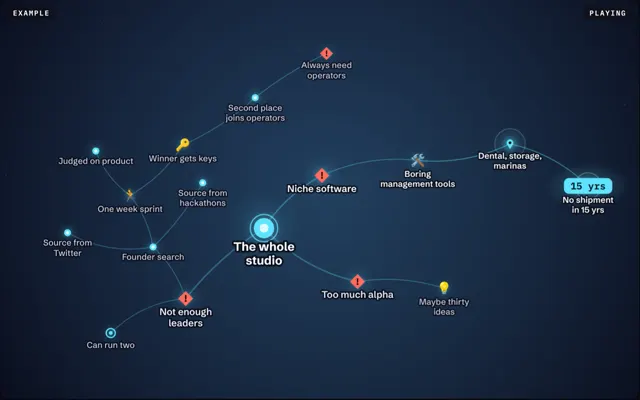 BrainEvery idea from a long conversation on one page.About a second a picture on the live pen
Which one to use
| When | On paper | Live, by talking |
|---|---|---|
| You do not know what you think yet | Say it out loud, then write | Brain: talk, and every idea lands on one map |
| Planning a project or an essay | Mind map | Map |
| Working out what causes what | Concept map | Diagram |
| In a lecture or a meeting | Sketchnotes | Infographic or Brain |
| Explaining something to someone | Draw as you talk | Thought, with your screen shared |
Questions
What does it mean to visualize your thoughts?
To get them out of your head into something you can see, such as a list, a map or a drawing, so you can look at them, rearrange them and share them.
Is there an app that draws what I am thinking?
No app reads your mind. Tellavibe draws what you say out loud, about a second after you say it, which is the closest thing: think out loud and watch it appear. Five minutes a day are free.
Should I use a mind map or a concept map?
A mind map branches out from one central idea and is quick to make. A concept map links many ideas and labels each link with how they relate, which shows cause and effect better.
Do I need to be good at drawing?
No. Mind maps are words and lines, sketchnotes are boxes and arrows, and a live visualizer does the drawing for you.
Read next
- A thought visualizer that draws what you think, while you say itA thought visualizer that draws what you think while you say it out loud: sketches, mind maps and animated scenes, a second behind your voice. Free.
- A mind map that grows while you talkMake a mind map by talking: each idea joins the one it belongs to as you say it, live, in your browser. For brainstorming, planning and long calls. Free to try.
- What is graphic recording?Graphic recording turns what people say into a picture of words, drawings and arrows, live. How it differs from graphic facilitation, and the AI version.