Visual mode · Animation
Animation mode: moving scenes live, plus full voice-synced films
Speak and watch animated vector scenes draw and move in real time — rain, waves, beams of light and gestures — then turn any finished story into a complete film.
Five minutes of the live pen free every day. Works in Chrome, Edge and Safari; any browser can type.
Live animation vs. post-story film upgrades
Tellavibe separates real-time animated sketching from full post-story production so you never sit through a render while you are still talking:
| Stage | What runs | Wait & cost |
|---|---|---|
| Live while talking | Motion (animated SVG), Swarm (particles) or Diorama (3D) | Seconds behind your voice; Five minutes free daily, then 15 credits/min |
| Redraw as I go | Stronger overseer model upgrades scenes in place while you continue speaking | Optional toggle in the studio bar (8 credits a redraw) |
| Finished film upgrades | Animation (SVG/JS), Film (HyperFrames), Motion video (Remotion) or Cinematic (Kling 3.0) | 3–8 min after telling; 100 credits for a Film (250 Ultra) |
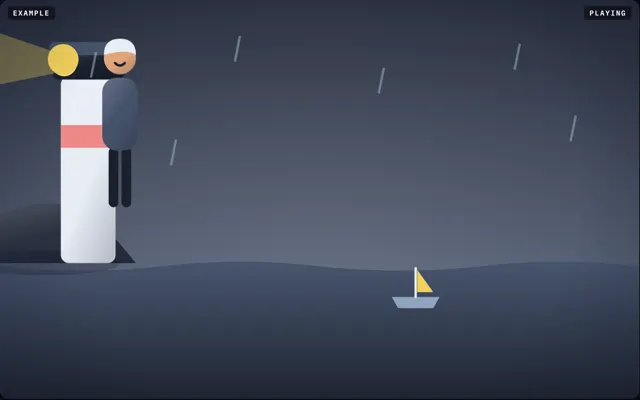 MotionThe most free-form of the live themes.About a second a picture on the live pen
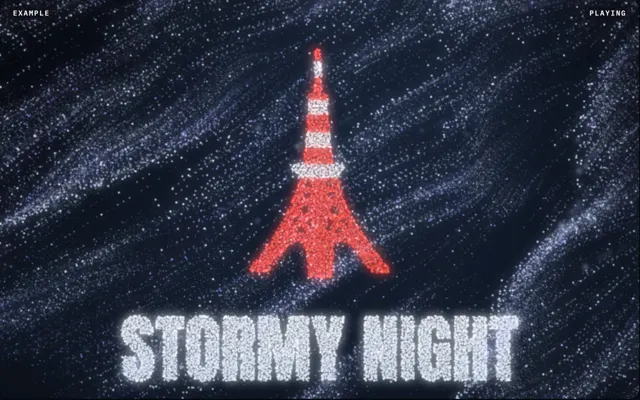 SwarmA cloud of particles that drifts on its own and gathers into the shape of whatever you mention: a whale, a heart, a city.About a second a picture on the live pen
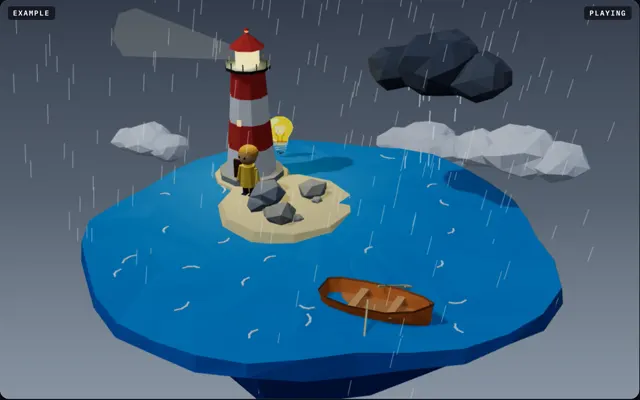 DioramaA low-poly island that fills with what you say: a house by the water, a boat, a storm coming in, built in 3D with light and shadow.About a second a picture on the live pen
Measured live waits
Export & playback
Every animation replays in sync with the exact second you spoke each phrase. Choose a wide (16:10) or tall (9:16) frame, share a playback link, or download video, audio, transcript and subtitles in Chrome or Edge on desktop.
Real spoken example
In the studio example for Motion, the live pen drew directly from these spoken lines:
“One stormy night the old lighthouse keeper saw a tiny boat lost far out at sea.”
“So she climbed the stairs and lit the great lamp, and its beam swept across the waves.”
Questions
What is the difference between live Motion and a Film upgrade?
Motion animates each sentence live as SVG scenes while you speak. A Film upgrade runs after you finish and writes one unified animated piece cued to every word of your recording.
Can I animate in vertical phone dimensions?
Yes. Switch the frame selector in the studio to Tall (9 by 16) before talking or downloading your video.
How do I try Live Animation Mode?
Click Try it free above to open the studio directly in Motion mode, or click Watch an example to replay a recorded session first.
Read next
- Voice to animation, live: talk and watch it moveTalk and watch it animated live: moving scenes, particles, a 3D world or kinetic type, drawn from your voice as you speak. Download it as a video. Free.
- Turn a story you told out loud into an animated videoTell a story out loud, then turn it into an animated film, a motion-graphics video or painted scenes, each cut to your own voice. Samples, prices and times.
- Kinetic typography from your voice, as you speakYour spoken words set as designed, moving type as you say them: key words large, lines broken where you pause, every word on time. Download as video.