Kinetic typography
Kinetic typography from your voice, as you speak
Say something and see it set as moving type: the important words large, the line broken where you pause, each word arriving the moment you say it.
Five minutes of the live pen free every day. Works in Chrome, Edge and Safari; any browser can type.
Two ways to use it
- The Type theme. The words are the whole picture. Each phrase is composed by a fast model as you say it, then animated in time with your voice. More about Type.
- Words on any picture. In every other theme, the same composer sets your words over the drawing, in a part of the frame that is empty. Choose Emotive for designed type or Simple for plain captions, or turn them off.
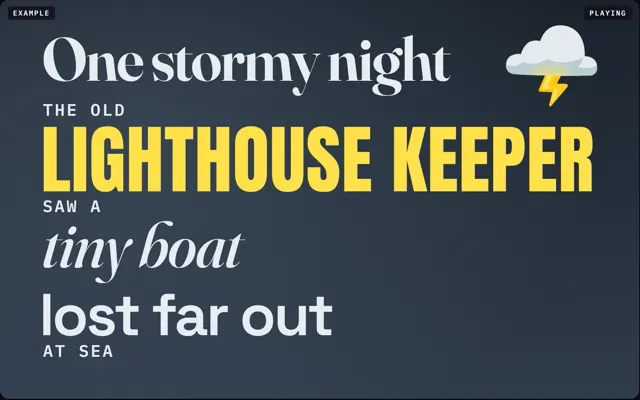 TypeKinetic typography of your own voice: each phrase is composed as you say it, the words that matter set large, and every word arrives when it is spoken, like a sing-along.About a second a picture on the live pen
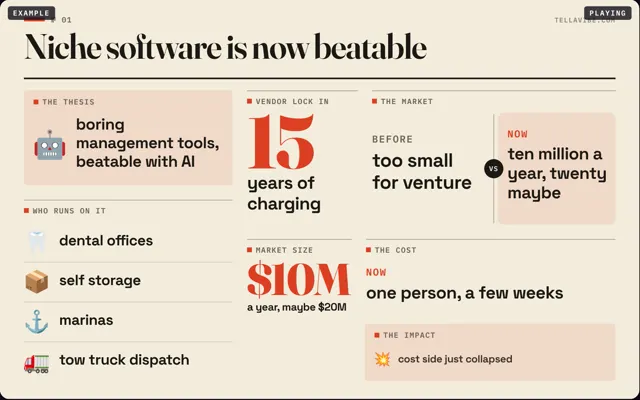 InfographicMention a number, a comparison or a key point and it is set on a poster as you say it: big figures, bars, lists and the line worth quoting.About a second a picture on the live pen
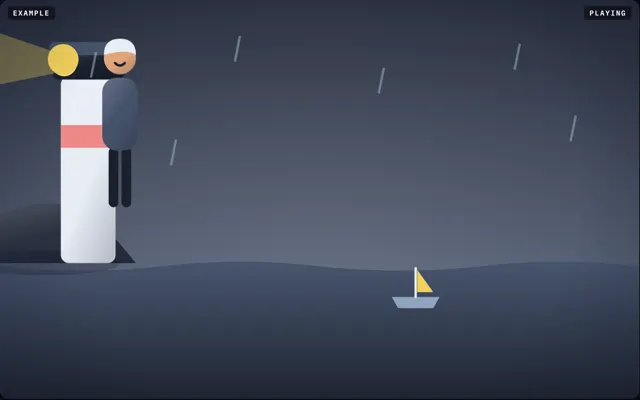 MotionThe most free-form of the live themes.About a second a picture on the live pen
Keep it
Download the story as a video with your voice, in Chrome or Edge on a computer. Download subtitles or a transcript of what you said. A tall frame makes phone-shaped video.
How long you wait
| Theme | Live pen | Quick pen | Fine pen | Ultra pen |
|---|---|---|---|---|
| Type | 1 s | 2 s | 3 s | 8 s |
| Infographic | 1 s | 3 s | 6 s | 15 s |
| Motion | 1 s | 7 s | 15 s | 1½ min |
Questions
Is the type timed to my voice?
Yes. Each word keeps the moment it was spoken, so when you listen back the words land exactly with your voice.
Can I use it for a lyric video?
Yes: speak or perform the words and download the result as a video. Each phrase is set as you say it.
Can I edit the type?
Not by hand. You can switch between Emotive and Simple, or redraw the story with a stronger pen.
Read next
- Voice to animation, live: talk and watch it moveTalk and watch it animated live: moving scenes, particles, a 3D world or kinetic type, drawn from your voice as you speak. Download it as a video. Free.
- Turn a story you told out loud into an animated videoTell a story out loud, then turn it into an animated film, a motion-graphics video or painted scenes, each cut to your own voice. Samples, prices and times.
- Live visual notes of a talk, a class or a meetingLive visual notes drawn by AI as people talk: a growing idea map, a poster of the facts, flowcharts of the process. For talks, classes and meetings.